 Back
Back
Wallio - Mobile App Case Study
Jump to section
Wallio - Mobile App Case Study
Overview
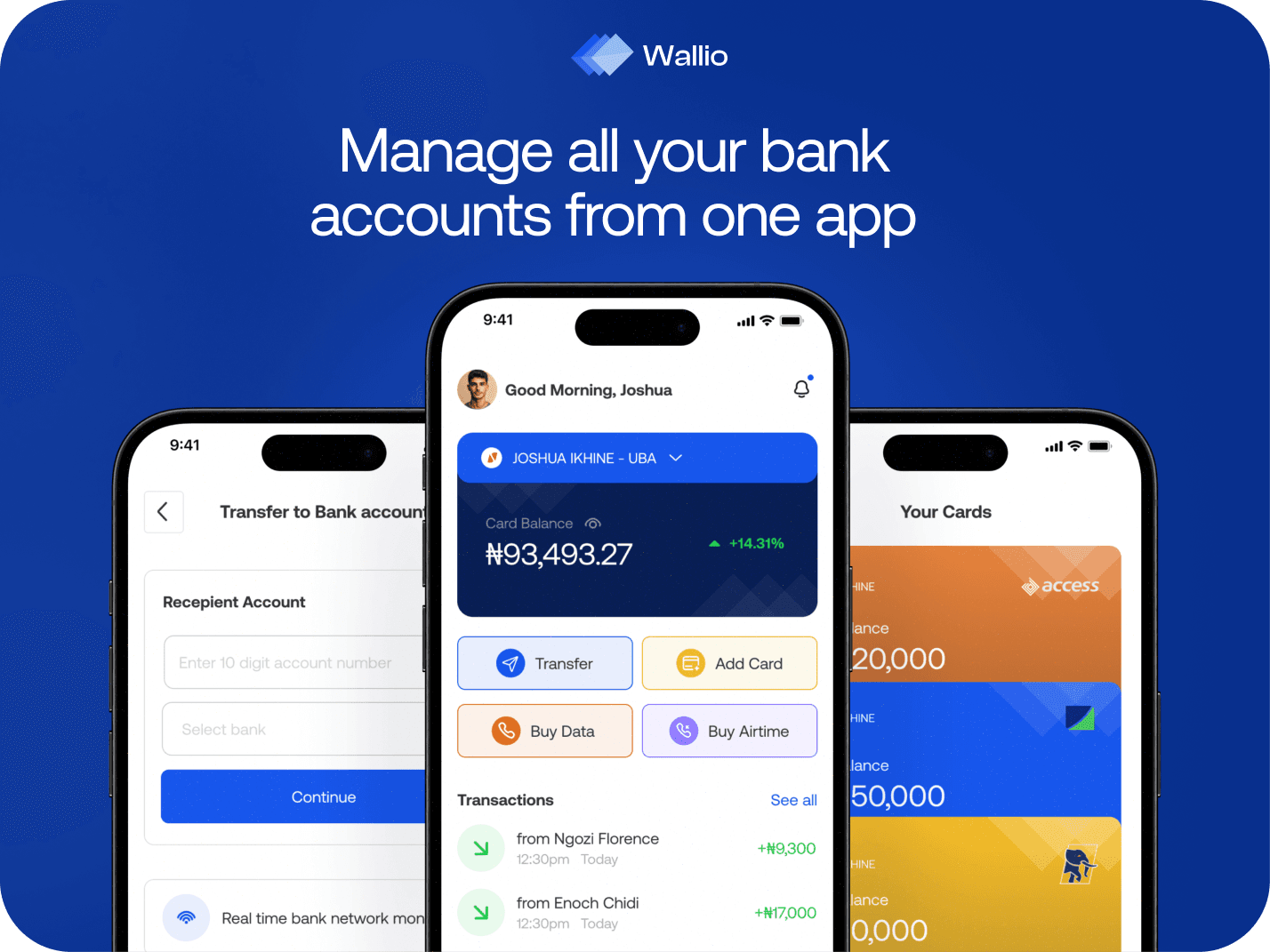
Wallio is a concept mobile app for managing money across several banks in one place — accounts, cards, and transactions pulled into a single view instead of five different apps.
The idea came from a problem I kept running into myself: most people in Nigeria hold accounts at more than one bank, and checking a balance or moving money means hopping between apps that all work slightly differently. Wallio brings them together, adds a clear picture of what's coming in and going out, and folds in some financial education along the way.
I designed the whole thing end to end as a self-initiated project — a chance to take a messy, real problem and see how far I could simplify it.
My Role
Solo project, start to finish. I owned the research, UX, UI, and design system myself over about four weeks. Tools were Photoshop, Illustrator, and Miro for the thinking and mapping, with ChatGPT for pressure-testing ideas.
Problem
Managing money across multiple banks is more annoying than it should be. The tools are fragmented, the visibility is poor, and none of them talk to each other. Specifically:
- Multiple cards across multiple apps means constant switching and easy mistakes
- No single view of total spending and income, so tracking habits is guesswork
- No sense of which bank's network is actually working before you try to send money
- Almost no financial guidance built in, so people make decisions half-blind
The result is the same for most people: low trust, low clarity, and a nagging feeling of not being in control of their own money.
User Research
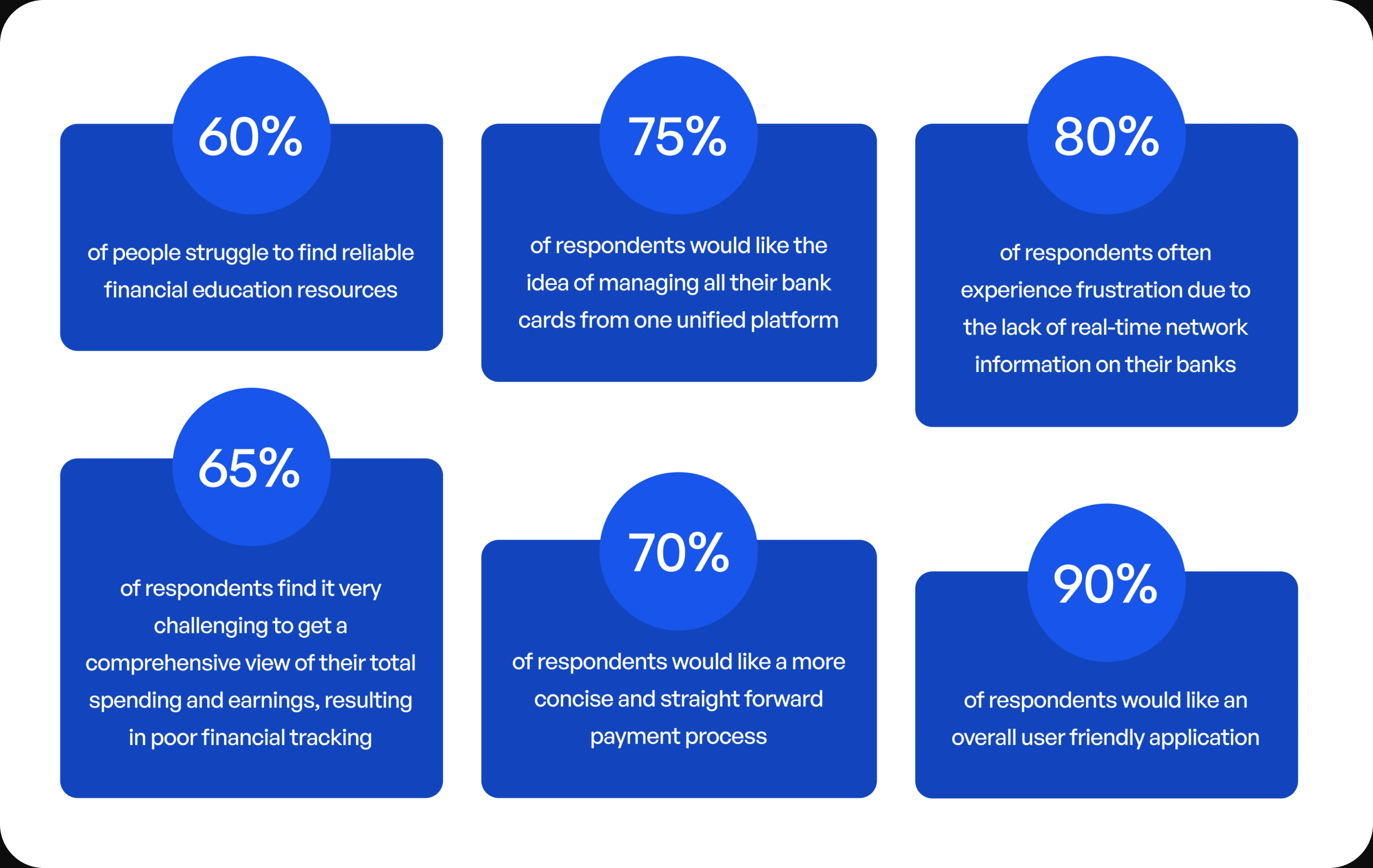
I ran a round of light research — a handful of interviews and a short survey — across a mix of students, recent graduates, employed people, and small business owners. Not an exhaustive study, but enough to check my own assumptions against real people rather than designing in a vacuum.
I wanted to know three things: how people actually manage money across banks today, where existing apps frustrate them, and what would make them trust a new one. A few patterns showed up fast — almost everyone kept a mental note of which bank 'was working' that week.
Competitive Analysis
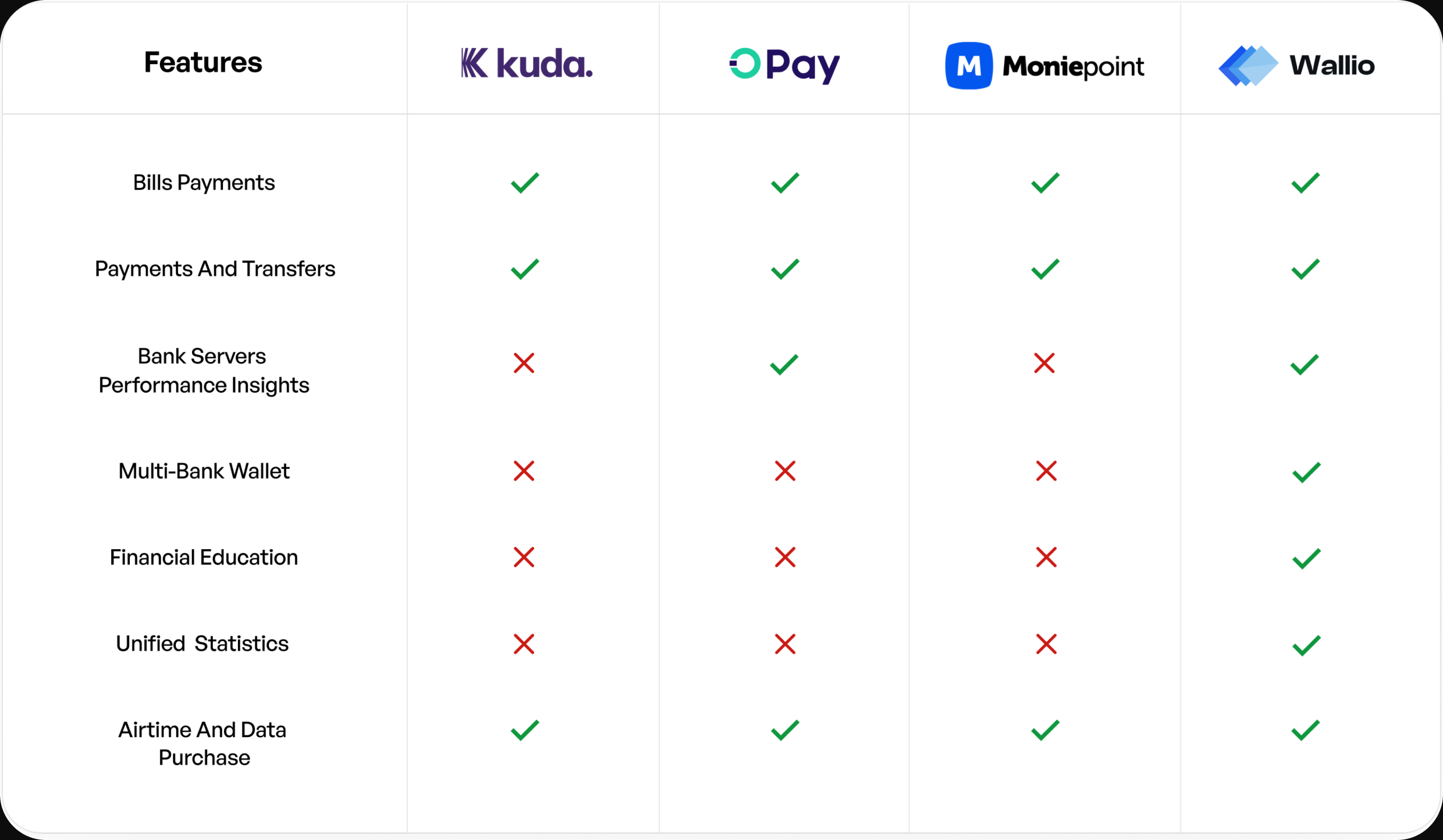
I looked at the main players in the Nigerian fintech space to see where they were strong, where they left gaps, and what Wallio could do differently. The goal wasn't to copy what worked — it was to find the space nobody was really serving well: the multi-bank user who just wants one clear view.
User Personas
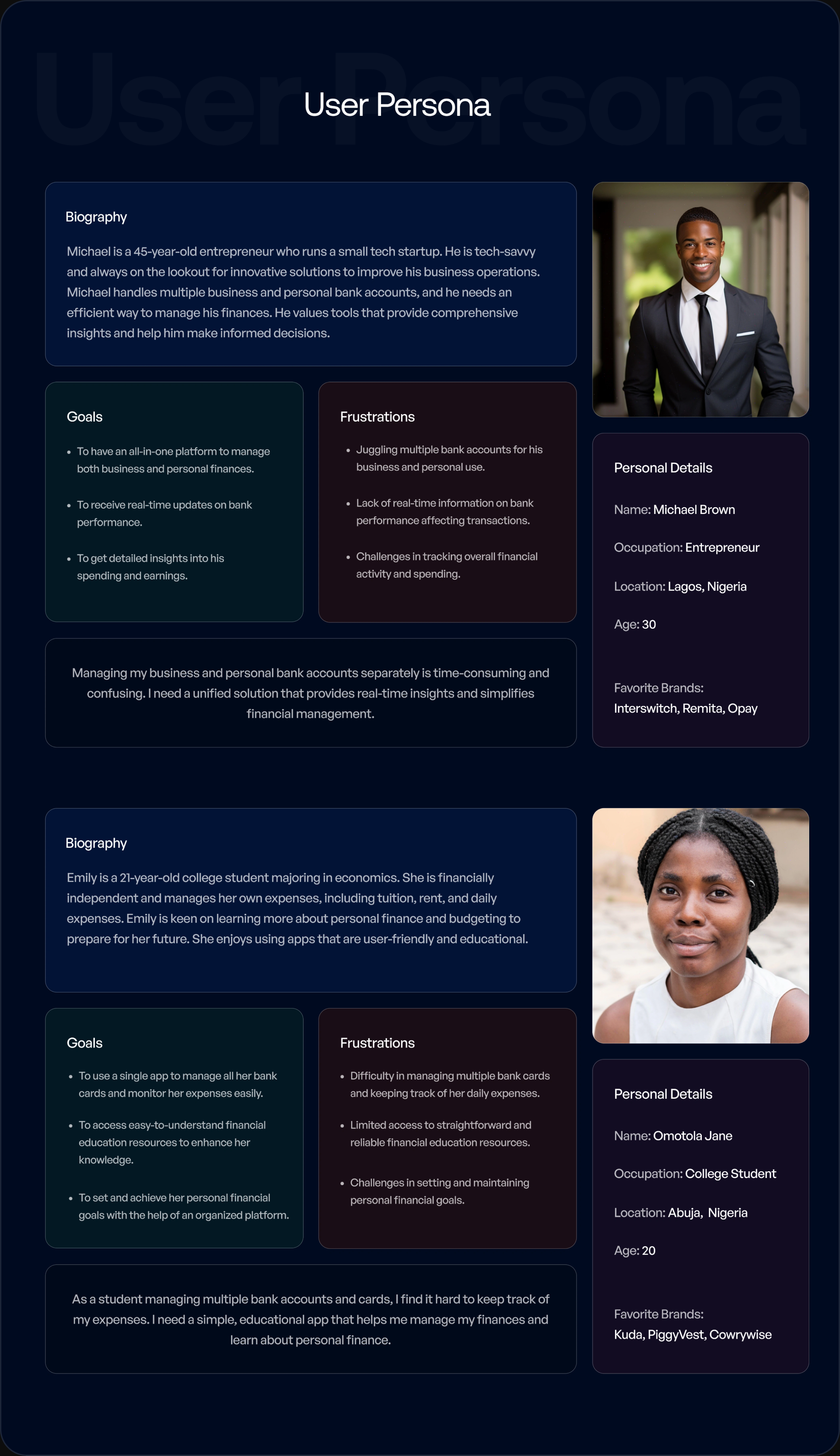
From the research, I built a few personas covering the main user groups — their goals, habits, and the specific things that frustrate them about managing money now. These kept me honest during design; whenever a decision got fuzzy, I checked it against who I was actually building for.
Design Process
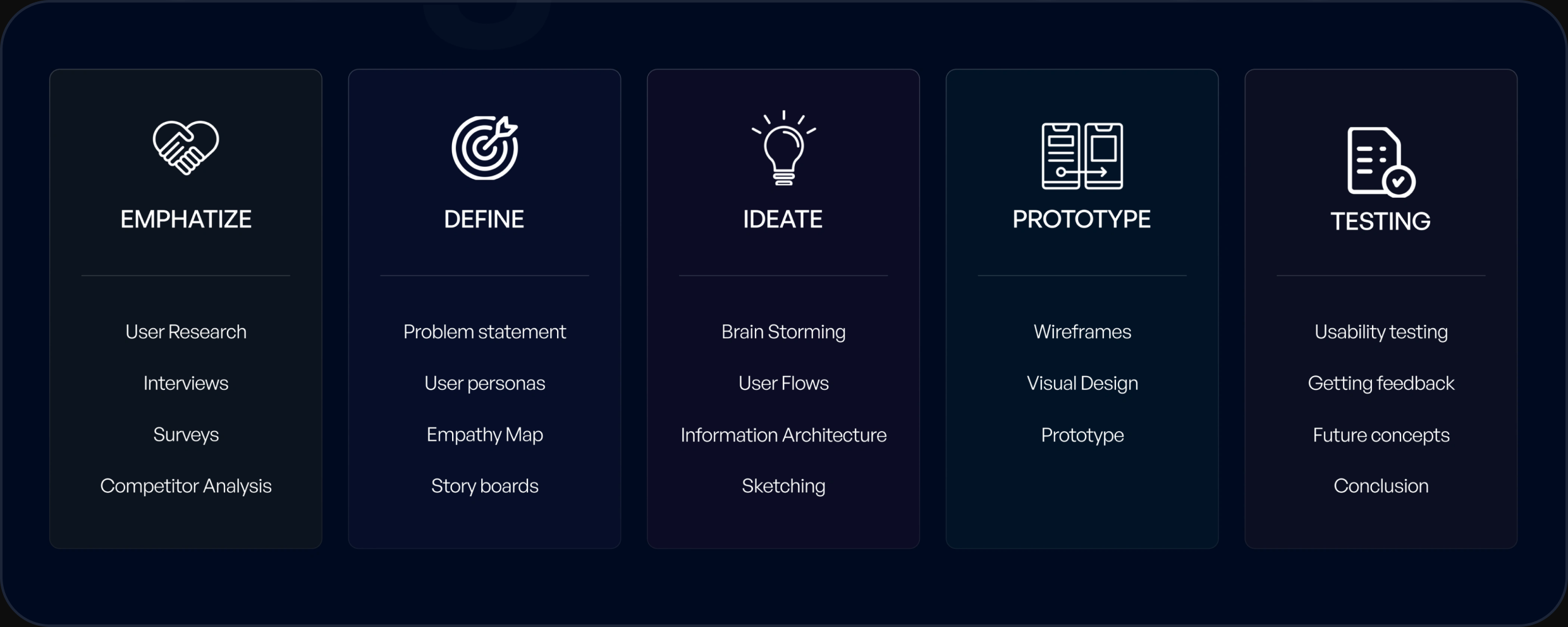
I worked in a fairly standard user-centered loop: understand the problem, map it out, sketch solutions, then refine. Nothing precious about it — the point was to keep reducing complexity at every stage and not fall in love with a screen before it earned its place.
Ideation
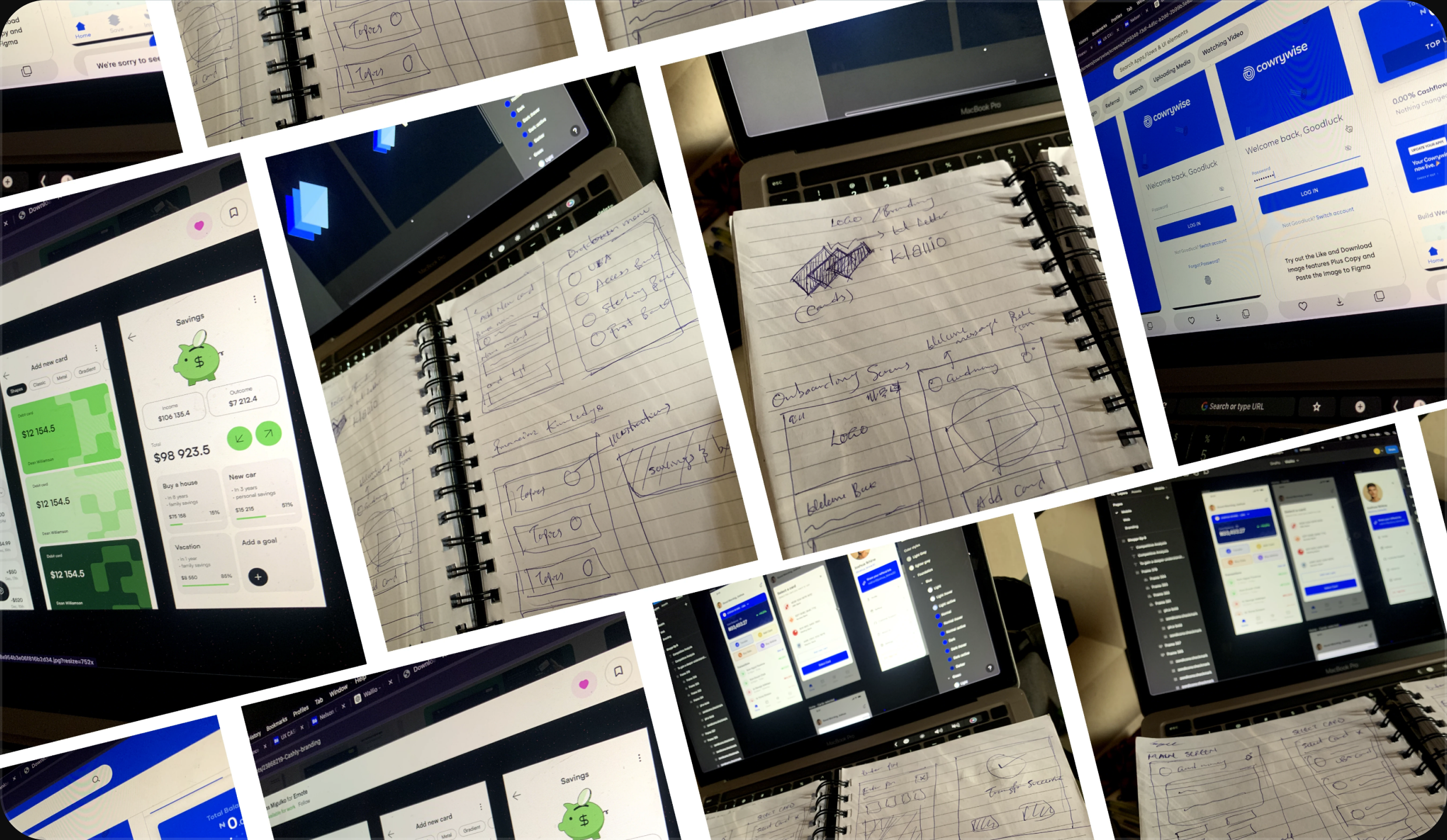
With the problem framed, I explored directions through rough brainstorming and concept mapping — laying out the core flows and the assumptions behind them before committing to any one structure.
Wireframes
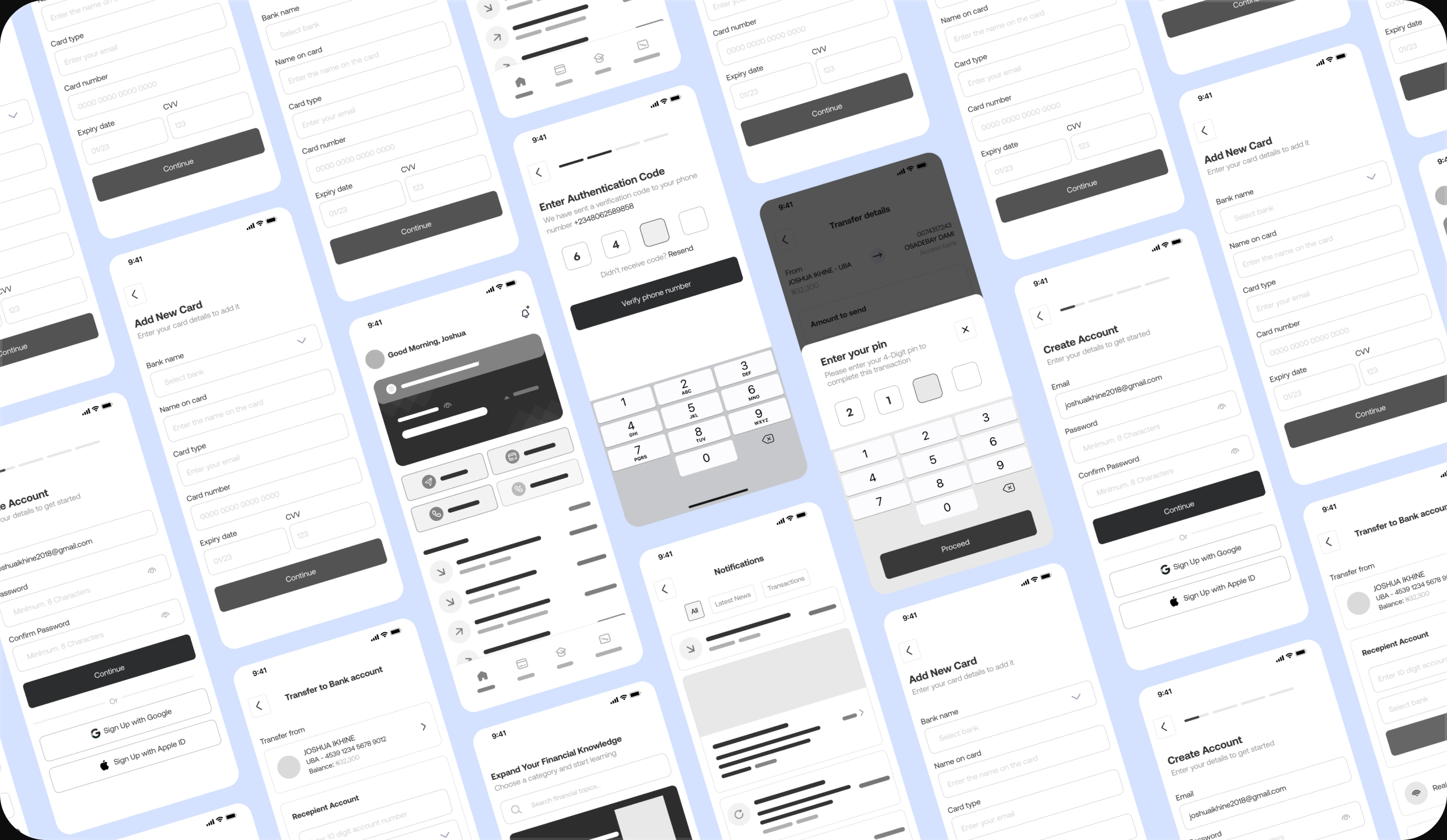
I blocked out the main flows in low-fidelity first, to settle navigation and hierarchy before worrying about how anything looked. Cheaper to move a box in a wireframe than to rebuild a polished screen.
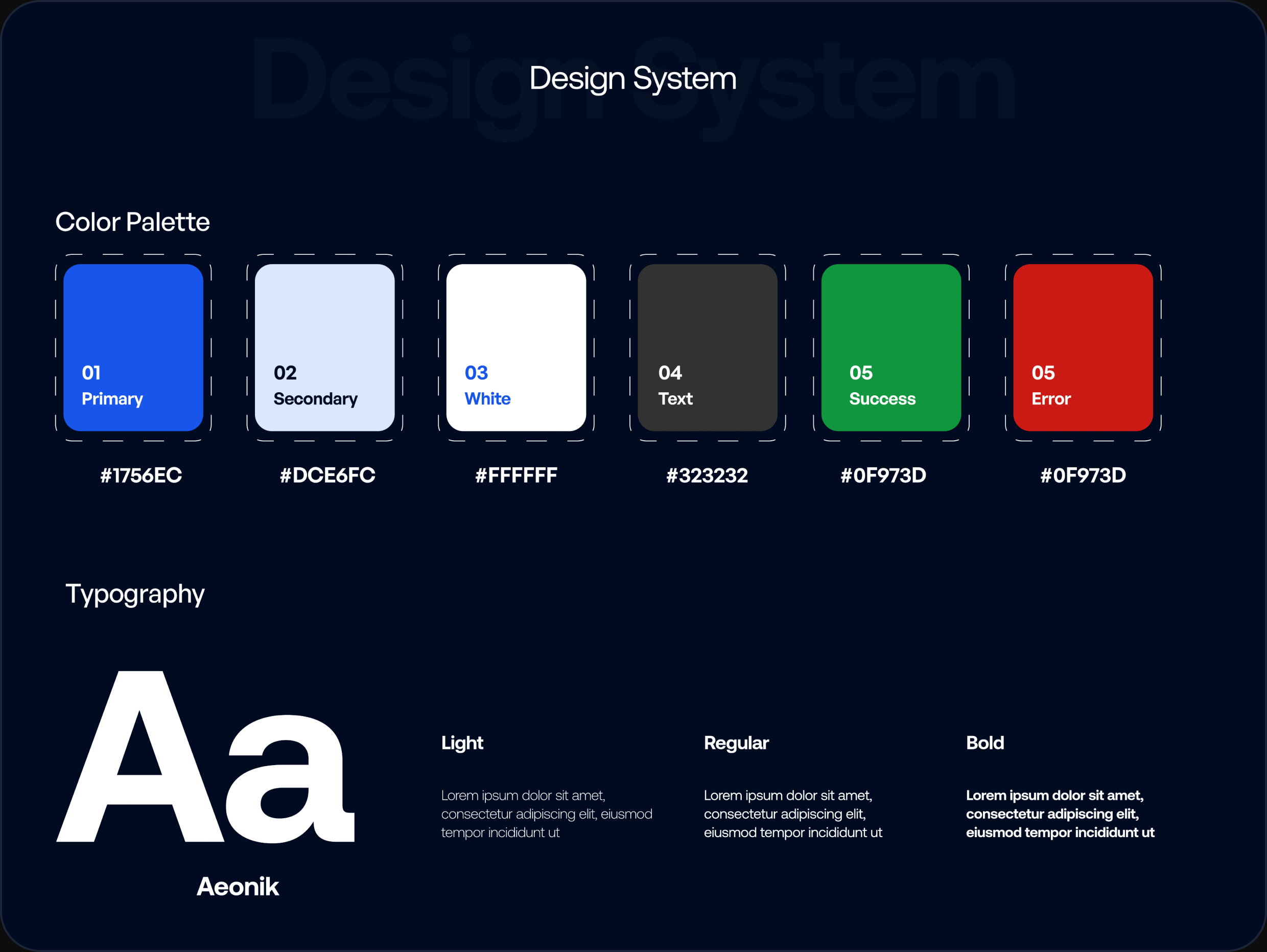
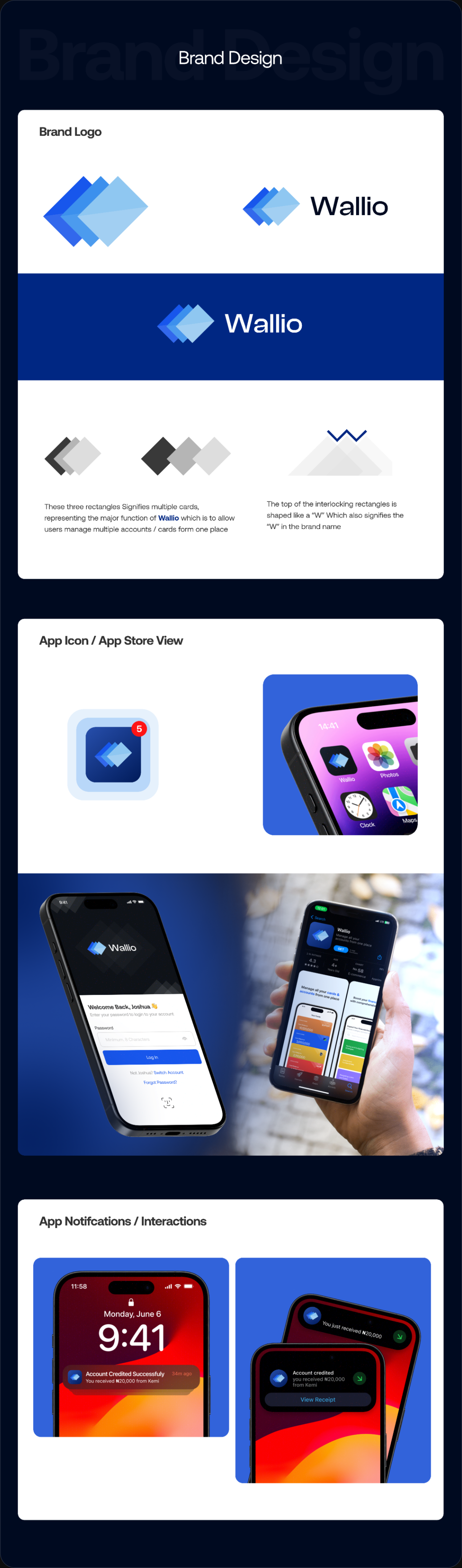
Design System
I built a small design system to keep everything consistent — type scale, color, spacing, and the core components. It kept the app coherent as it grew and would make it far faster to extend or hand to a developer.
Solution
Wallio pulls the whole mess into one place:
- A secure multi-bank wallet, so every card lives in one app
- One unified view of total spending and income, at a glance
- Real-time bank network indicators, so you know before you send
- Curated financial education, built into the flow instead of bolted on
- All of it in a clean, calm interface that doesn't make money feel stressful
App Design
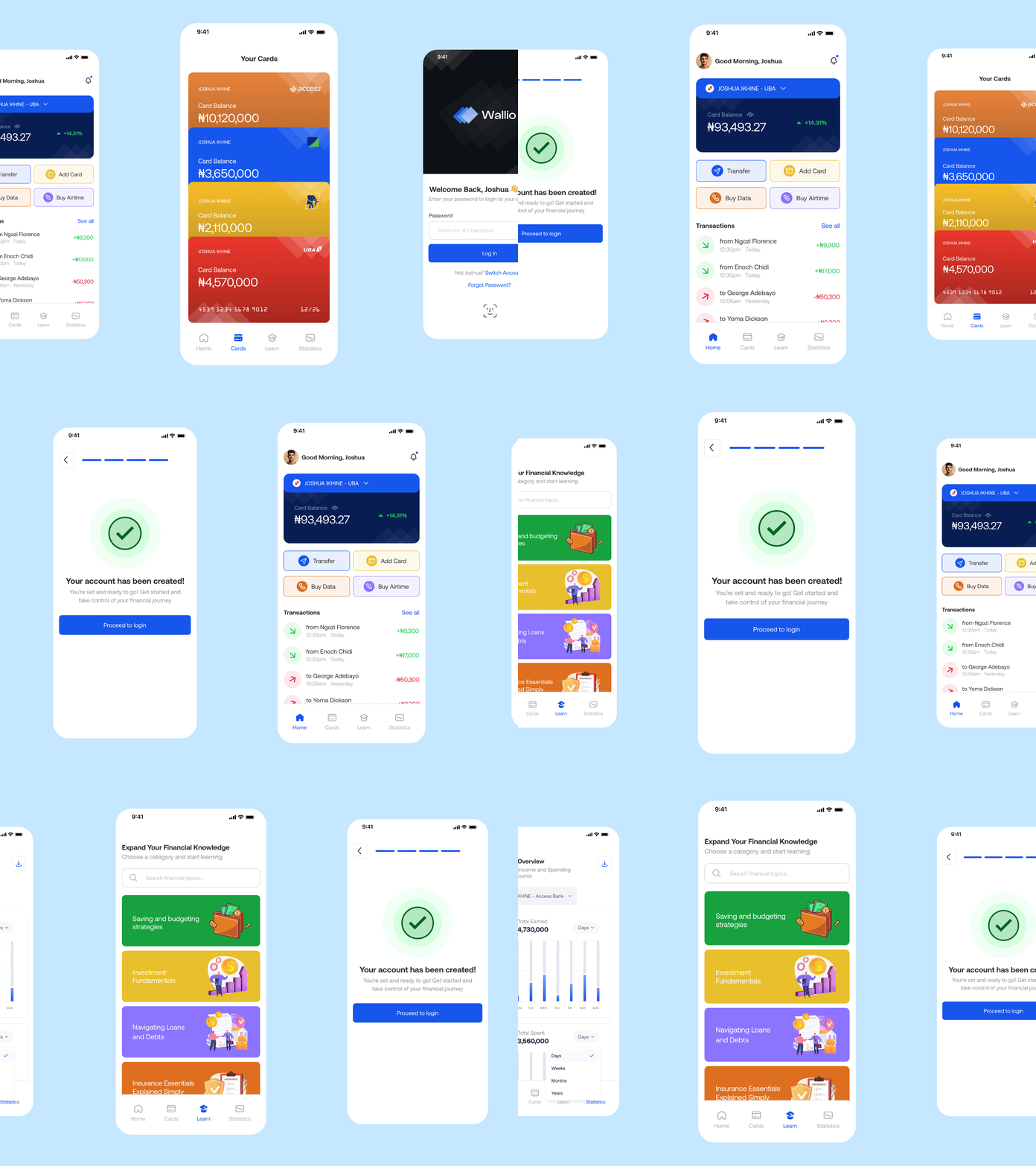
Here are the screens I designed for the mobile app
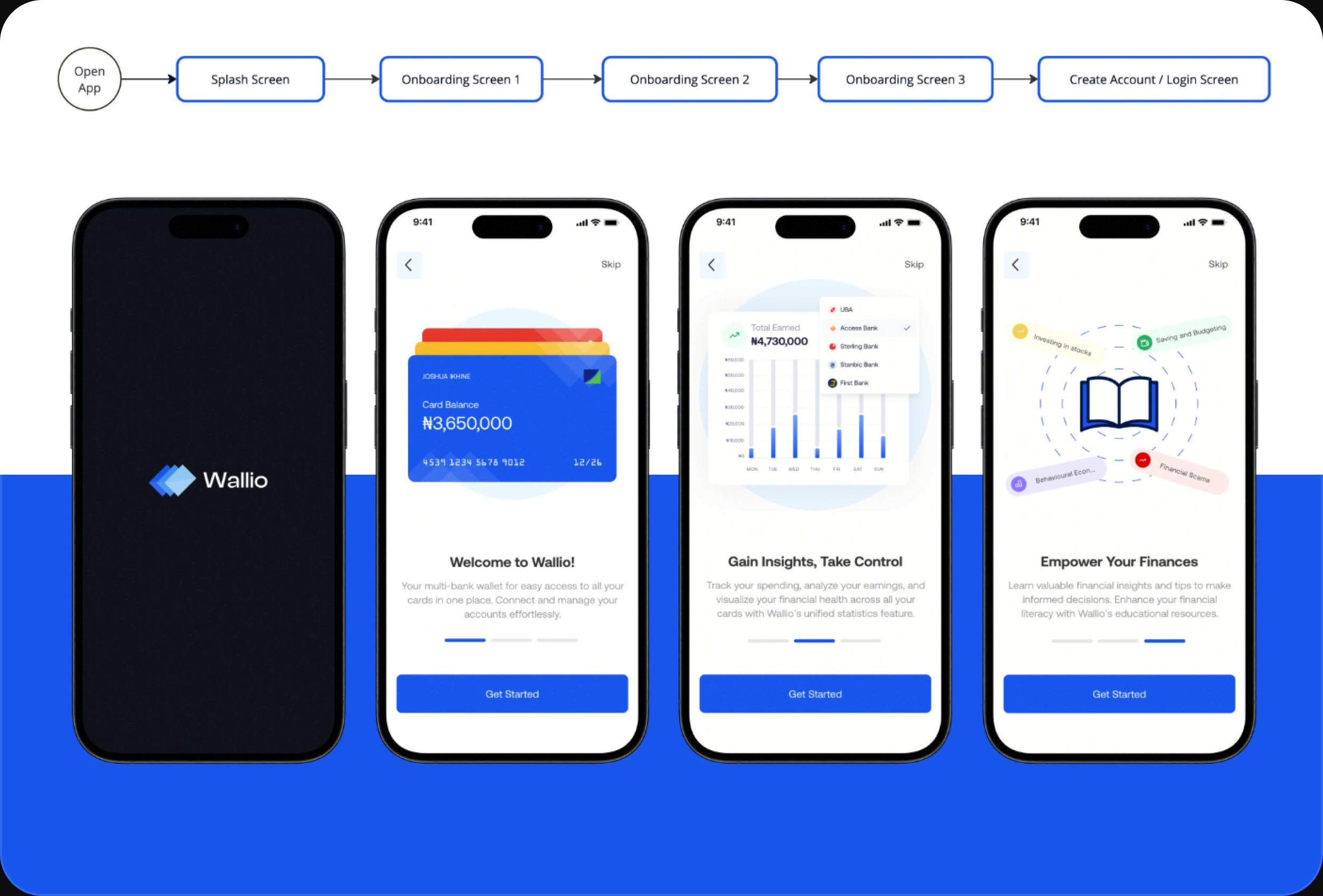
Onboarding Flow
When the user opens the app, the splash screen appears first, followed by a series of onboarding screens that briefly educate the user about the app's features. These screens provide a quick and engaging overview of how to manage multiple bank cards, track financial activities and access educational resources, ensuring a smooth introduction to Wallio.
Sign Up / Create Account
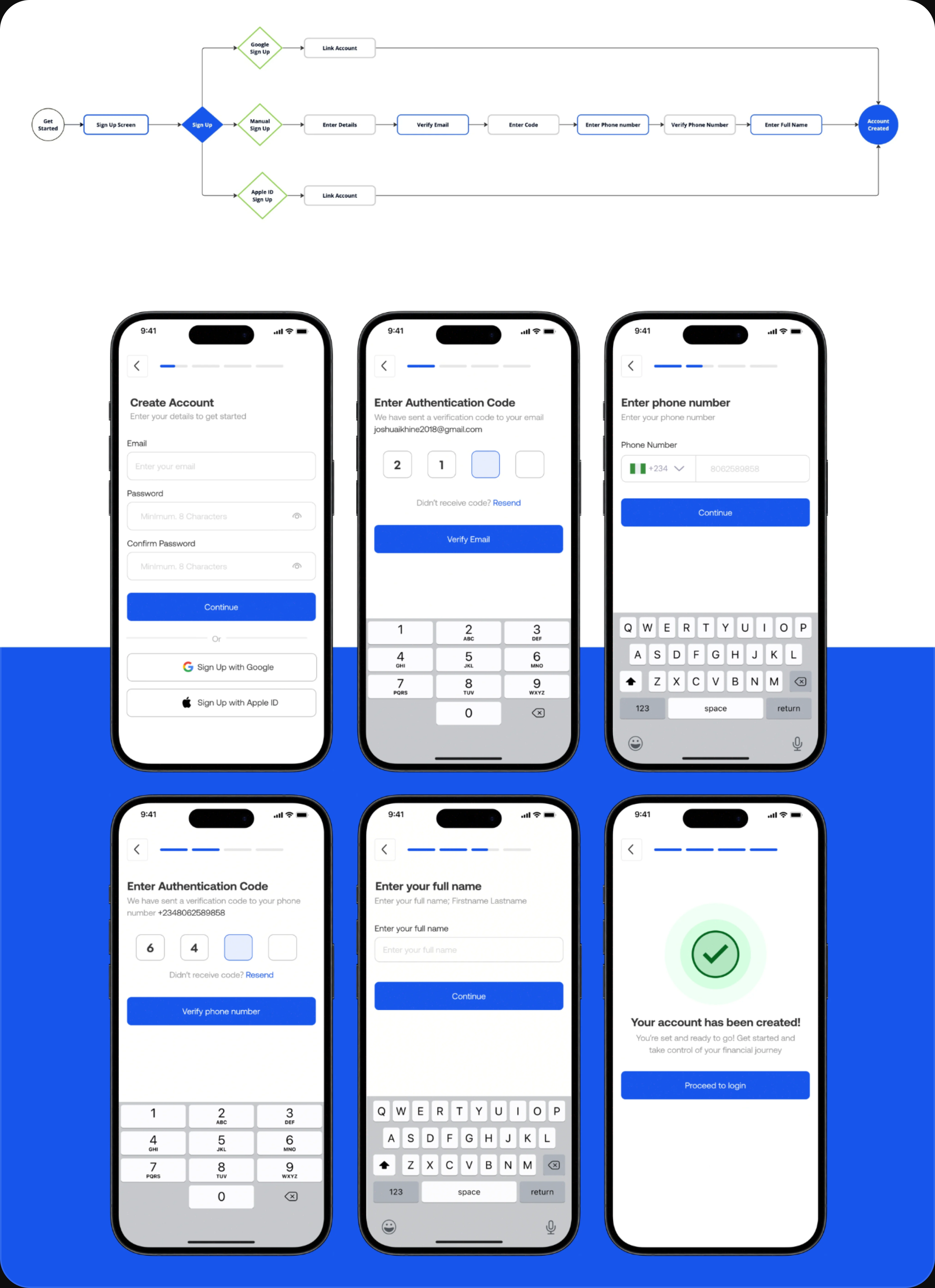
Users start by entering their email, password, and confirming the password on the Main Signup Page. They then verify their email with a code on the Email Verification Page, followed by entering and verifying their phone number. After providing their full name, they see the Account Created Successfully Screen. Finally, users are directed to the Login Screen to access the app.
Add Card
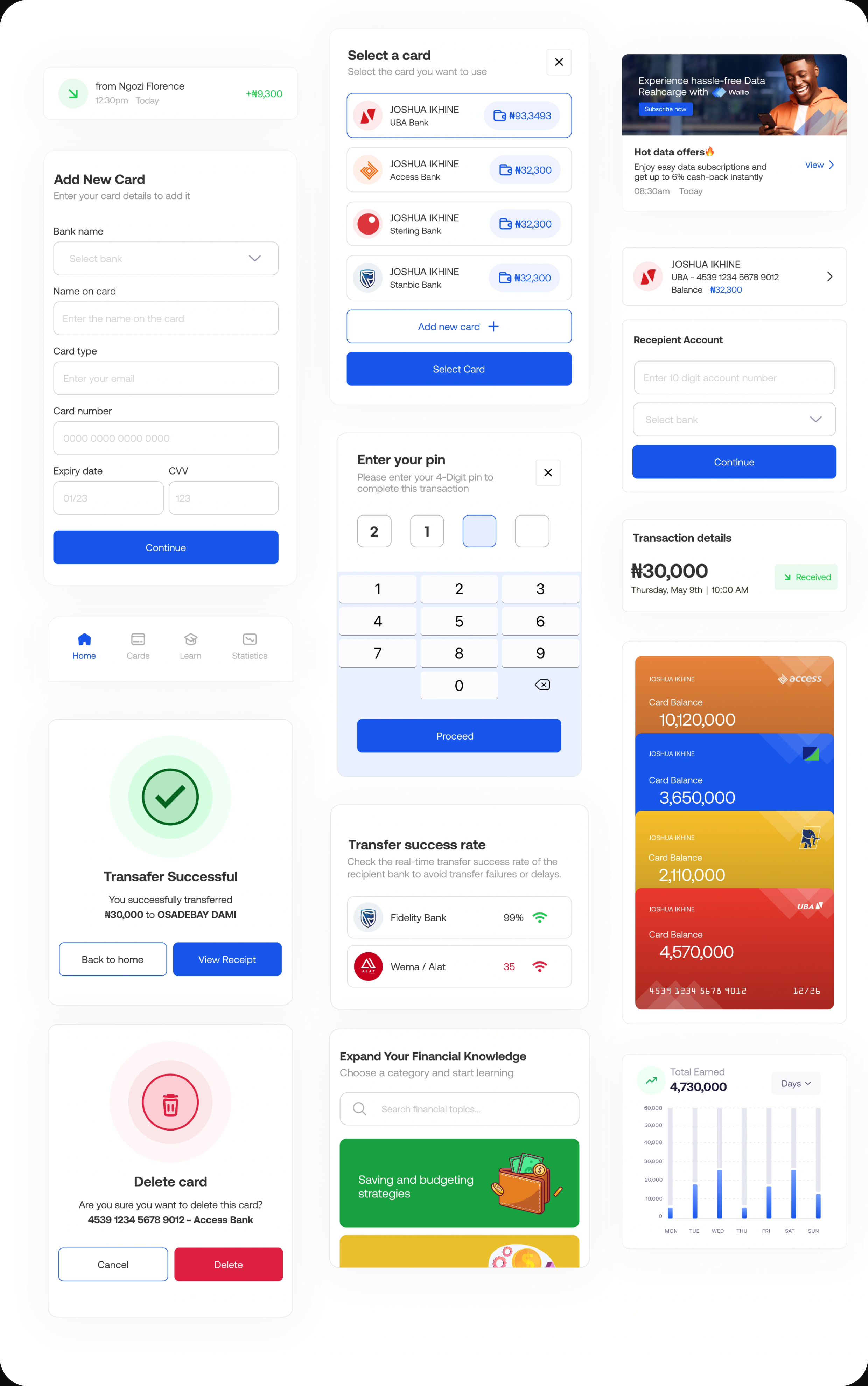
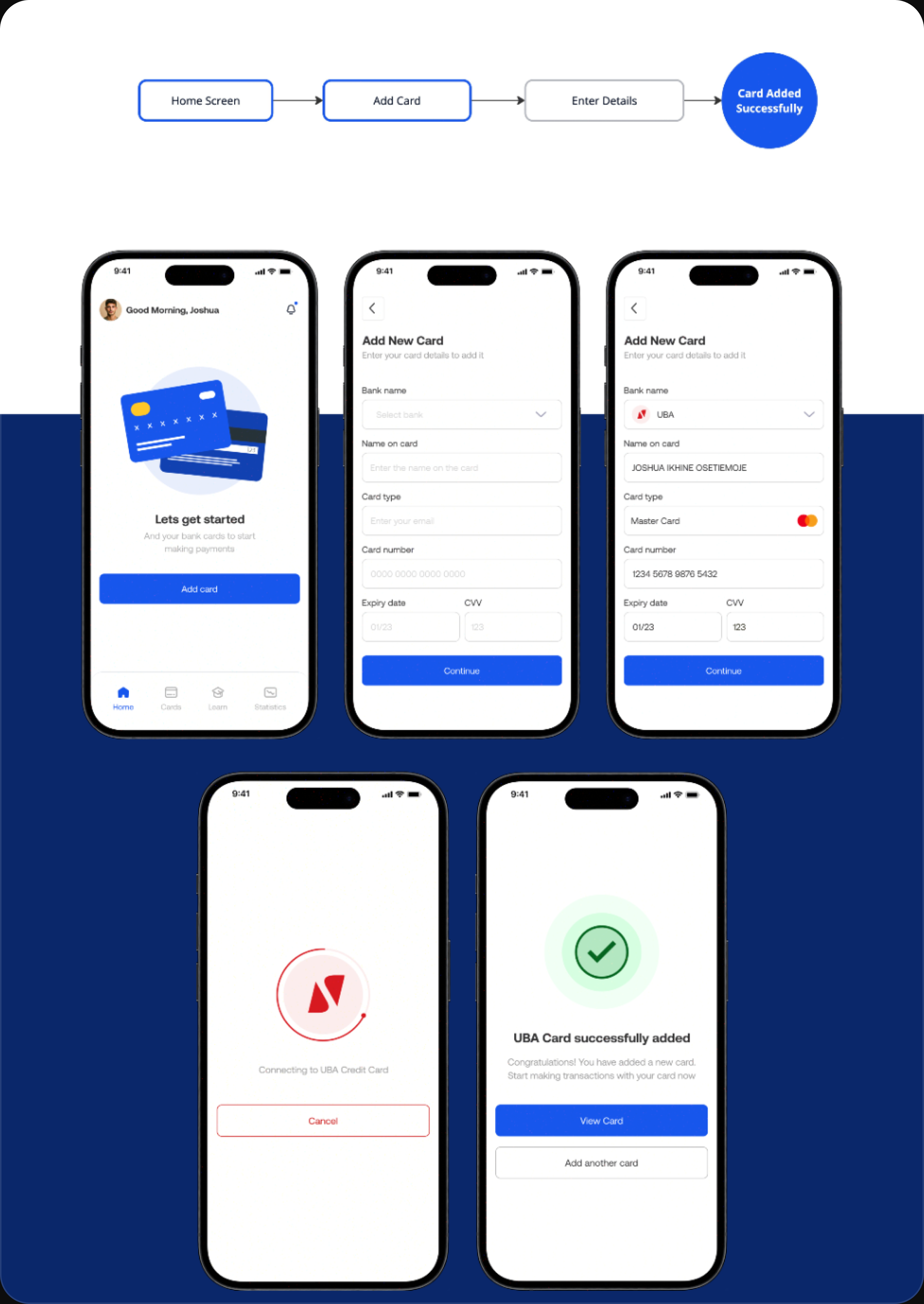
After creating their account, users are taken to the main screen, where they are prompted to add a card. When the user taps the button, they are directed to a screen to enter their card details. Once the details are entered, the card is successfully added.
Send Money
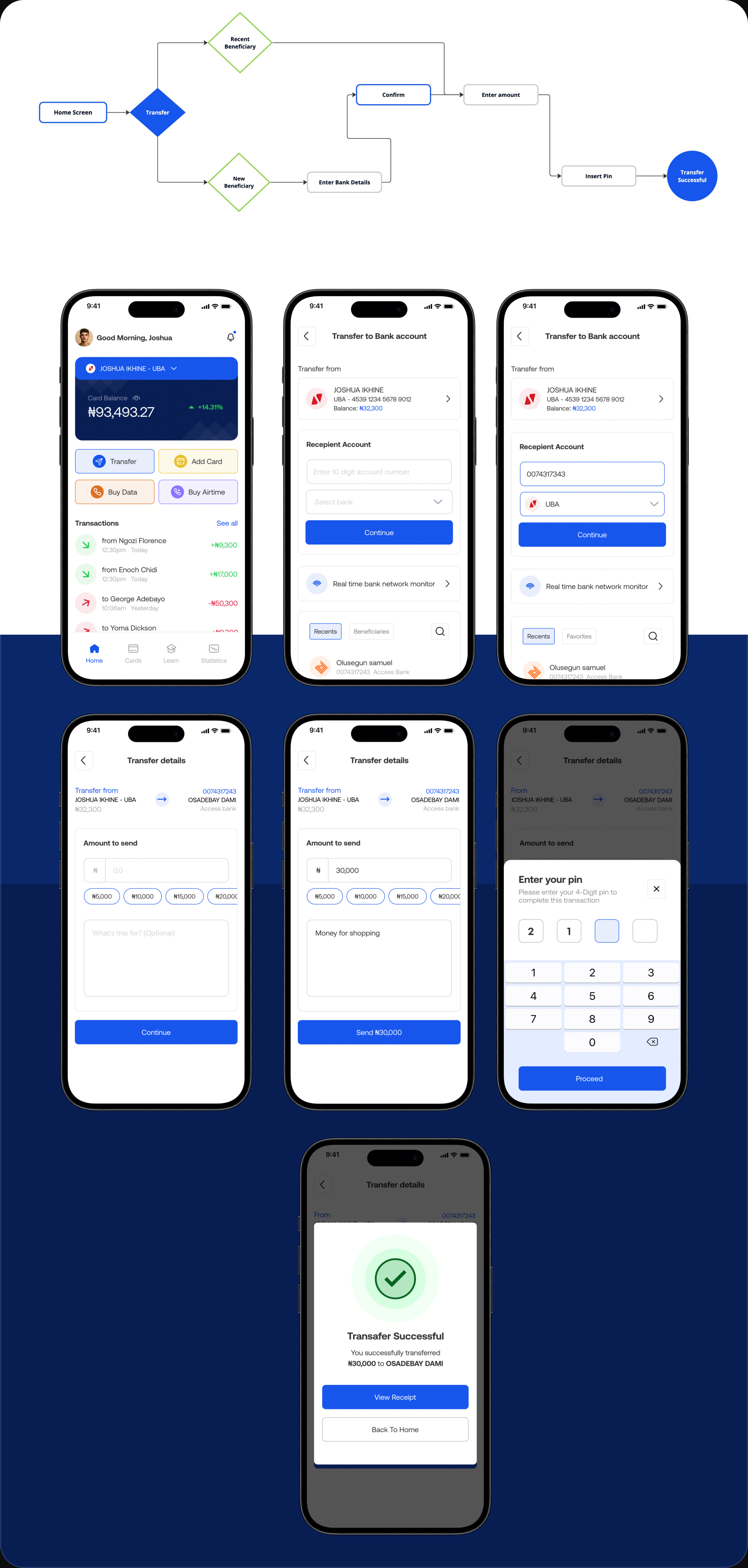
From the home screen, the user taps the transfer button, which takes them to the transfer details screen. Here, they choose the account to transfer from, input the recipient's account number, and select the bank name or pick from beneficiaries. Next, they enter the amount to send and the transfer description. Finally, the user is prompted to enter their PIN to complete the transfer.
Financial Overview
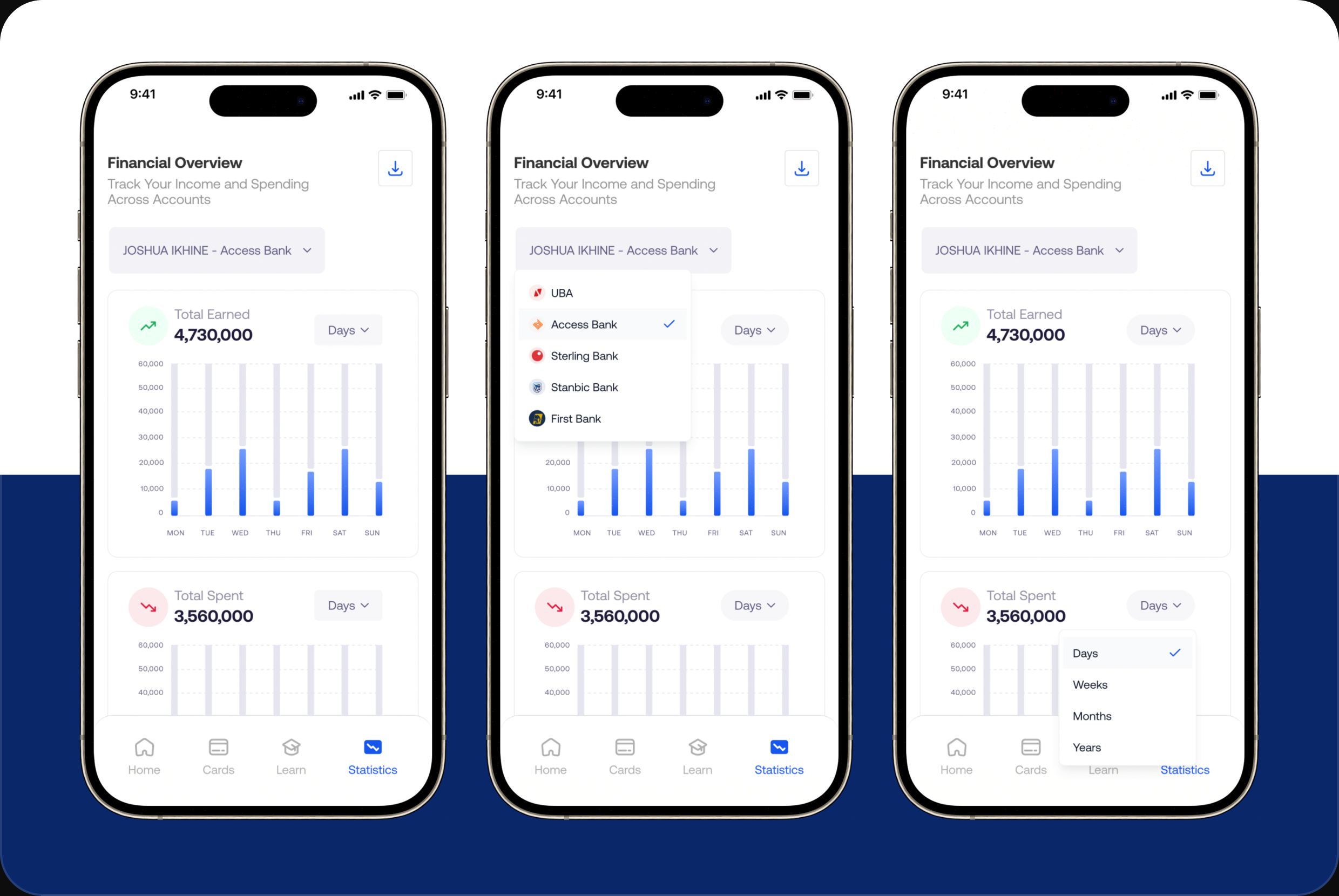
Wallio also enables users to view a comprehensive financial overview of their Received and Deductions, conveniently arranged by day, week, month, and year. This feature helps users track their spending and earnings over various time periods, providing valuable insights into their financial habits and assisting in better financial planning.
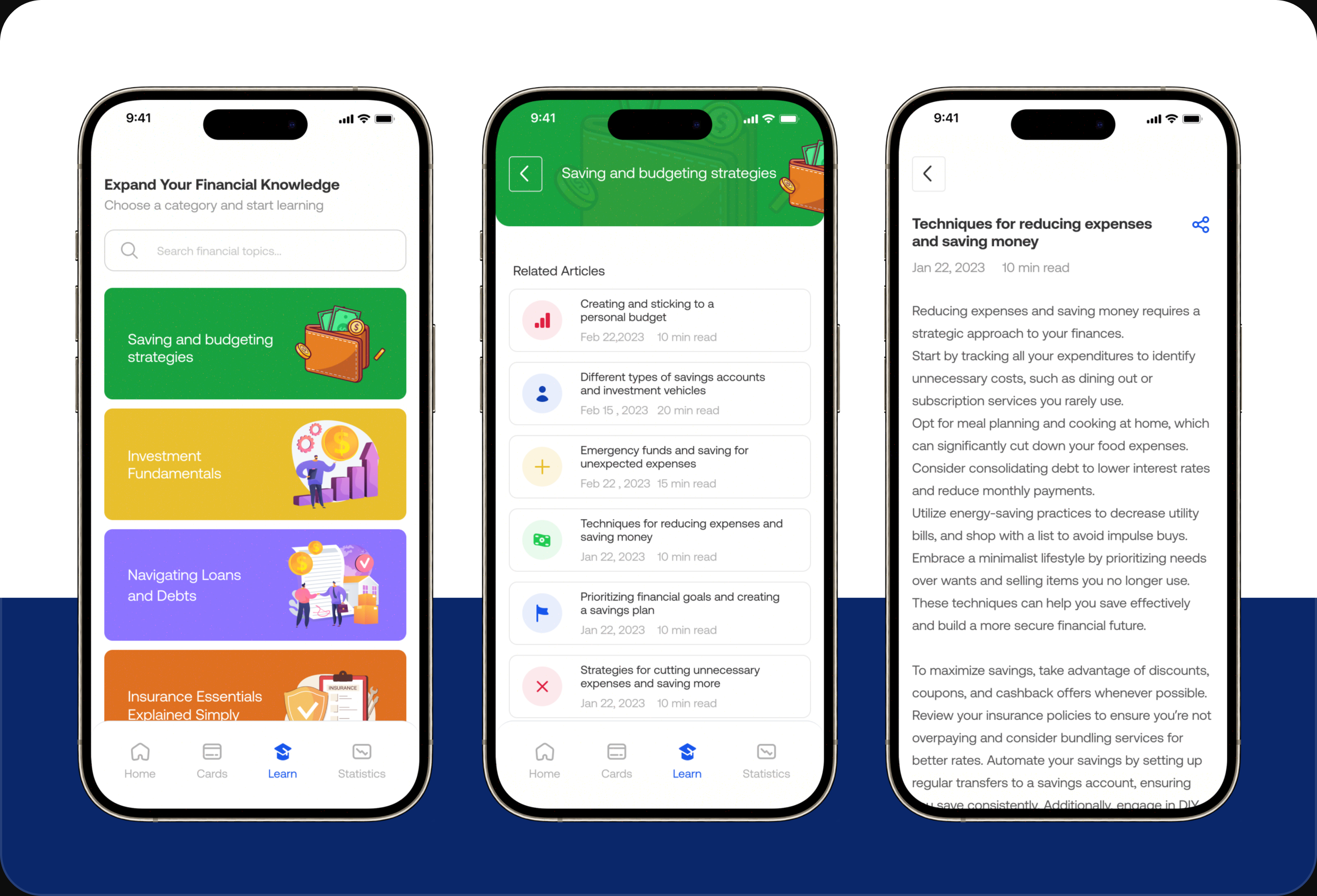
Financial Education
Our Financial Education section offers a wealth of resources designed to improve financial literacy. Users can access articles, videos, and tutorials on topics such as budgeting, saving strategies, investing, and managing credit. Whether you're a beginner or looking to enhance your financial skills, Wallio provides the tools and information you need to take control of your financial future.
Outcome & Reflection
Wallio was a concept, so there's no launch metric to point to — but it did what I wanted it to: take a real, tangled problem and prove I could simplify it into something people would actually understand.
Looking back, there's plenty I'd change. The typography isn't as consistent as it should be, and I'd tighten the type scale across the app. I'd rework the color on the primary buttons — on the home screen especially, they compete with content they should be guiding you toward. And I'd restructure the side navigation, moving most of its contents into a properly organized settings screen instead.
That list is the real takeaway. Four weeks ago I wouldn't have spotted half of it — being able to look at my own work and see exactly what's weak is the part I'm most glad I got out of this.
Enjoyed reading this? Thank you.
This took a bit of work to put together, so if you liked it, I’d really appreciate you sharing it. If you have a similar project in mind, let’s work together.

What People Say About Me and My Work
One of the smoothest design experiences we've had. Joshua turned complex ideas — AI onboarding, unified inbox, automation builder — into polished, intuitive flows, with a design system that kept us consistent across mobile and web.

Brian T George
CEO, Unifiedbeez

Love his work! Always professional, detail-oriented, and delivers top-quality results. He understands the vision and brings it to life better than expected. Reliable, creative, and a joy to work with — highly recommend!

Becky Idiale
CEO, Daibo Consulting

Josh redesigned our landing page and nailed it. His attention to detail and smooth communication made everything easy. The new design boosted engagement and feels more aligned with our brand. Highly recommend.

Areous A
CEO, Pixel Pioneer Studios

Joshua consistently delivers clean, thoughtful, user-centered designs. He's proactive, reliable, and communicates ideas clearly. Every project gets real creativity and attention to detail — a true asset to any design team.

Chi Onyeukwu
CEO, Njem

Working with Joshua on the Koboneer app was smooth start to finish. He understood the product, turned complex ideas into a clean, intuitive interface, and stayed open to feedback. His attention to detail made a real difference.

Solomon Okafor
CEO, Koboneer

Joshua has been an outstanding contributor at Dingpay. His design solutions are thoughtful, intuitive, and aligned with our users' needs. He works with speed and precision while keeping strong creativity and brand consistency.

Itohowo Udofia
CEO, Dingpay

Great experience working with Joshua. He pays attention to details and provided excellent communication throughout the project.

Donny Gamble
CEO, The Elevation Group

Joshua transformed the AllFoods UK site into something modern, professional, and easy to navigate. He was proactive, responsive, and cared about reflecting our brand. We've had great feedback since.

Akinyemi Arabambi
CEO, AllFoods UK



Let’s Work Together!
Whether it's a freelance project, a full-time role, or you just want a second opinion on something. Tell me a bit about what you're building and where you're stuck. That's plenty to start.


© Joshua Ikhine, 2025.
All rights reserved.
 hello@joshuaikhine.com
 +234 806 258 9858